How to Do the Reverse Band Power Squat
Add the Reverse Band Power Squat to a workout plan built for you. NYUS builds a workout plan from your goal, body and schedule. It is in early access on Android: join the list to get in.
Join early access for your plan30-day free trial, then plans from ₹499 for one month, paid once, no auto-renewal.
💪 Quadriceps, Adductors, Calves, Glutes, Hamstrings, Lower Back🏋️ Barbell📊 Expert🏷️ Powerlifting
How to perform it
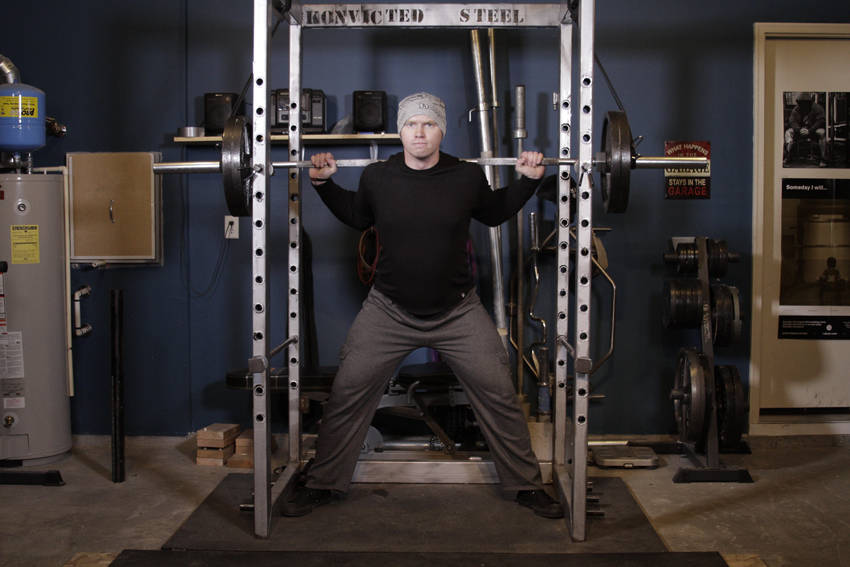
- Begin in a power rack with the pins and bar set at the appropriate height. After loading the bar, attach bands to the top of the rack, using either pegs or the frame itself. Attach the other end of the bands to the bar.
- Begin by stepping under the bar and placing it across the back of the shoulders. Squeeze your shoulder blades together and rotate your elbows forward, attempting to bend the bar across your shoulders. Remove the bar from the rack, creating a tight arch in your lower back, and step back into position. Place your feet wide for more emphasis on the back, glutes, adductors, and hamstrings.
- Keep your head facing forward. With your back, shoulders, and core tight, push your knees and butt out and you begin your descent. Sit back with your hips as much as possible. Ideally, your shins should be perpendicular to the ground. Lower bar position necessitates a greater torso lean to keep the bar over the heels. Continue until you break parallel, which is defined as the crease of the hip being in line with the top of the knee.
- Keeping the weight on your heels and pushing your feet and knees out, drive upward as you lead the movement with your head. Continue upward, maintaining tightness head to toe, until you have returned to the starting position.
Muscles worked
The Reverse Band Power Squat primarily targets your Quadriceps, with support from your Adductors, Calves, Glutes, Hamstrings, Lower Back. You'll need barbell.
Make it count toward your goal
Random sets rarely move the needle. In NYUS, the Reverse Band Power Squat slots into a plan built for your goal — sets and reps set in the plan, logged in two taps, and folded into a weekly check-in that adjusts your calories, macros and step goal.